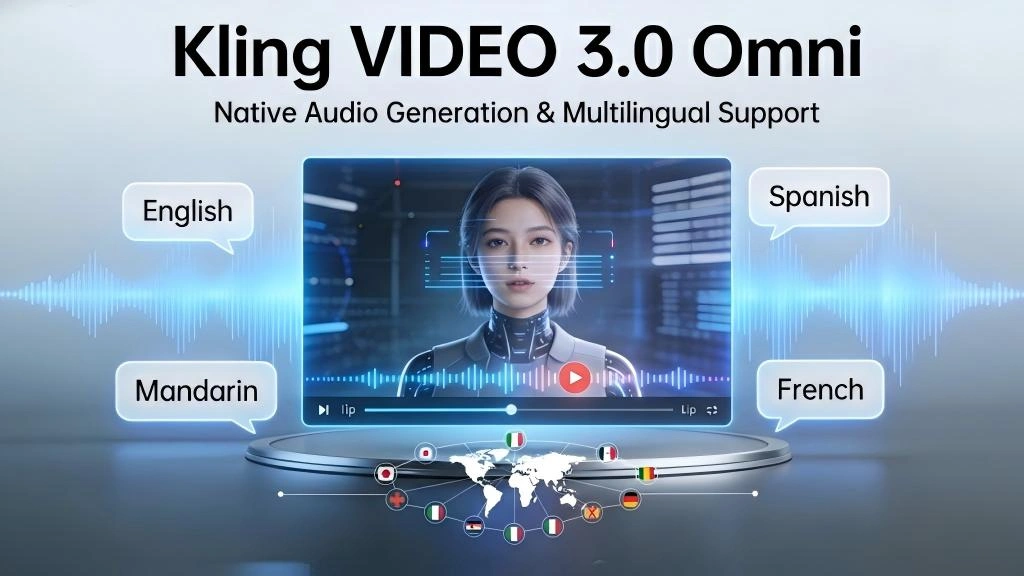
Kling VIDEO 3.0 Omni Review: The End of “Glitchy” AI Video?
Bottom Line Up Front: If you’ve been waiting for AI video that doesn’t look like a morphing nightmare, Kling 3.0 Omni is the closest we’ve gotten to “production-ready.” With native audio (no more dubbing apps) and a new AI Director mode that handles camera cuts, it’s a massive leap forward. However, the 15-second limit still feels restrictive for long-form creators.
Let’s be honest—most “AI Video” tools until now have been glorified GIF generators. You get 4 seconds of a woman eating spaghetti, and by second 3, the spaghetti turns into fingers. It’s been fun, but useless for professional work.
I’ve been diving into the documentation and output examples for the new Kling VIDEO 3.0 Omni, and the tone has shifted. It’s no longer about “look what AI can do”; it’s about “here is a workflow for filmmakers.”
Here is my breakdown of what actually matters for creators.
1. Native Audio: Goodbye, Lip-Sync Issues?
In previous versions (and frankly, most competitors), generating video was a silent movie experience. You had to generate the clip, go to ElevenLabs for voice, and then use a separate tool to sync the lips. It was a workflow nightmare.
Kling 3.0 integrates Native Audio Synthesis. When I reviewed the specs, what stood out is that it generates video and audio in a single pass.
It supports distinct speaker mapping—meaning if you have two characters in a shot, the AI knows who is talking and assigns the voice correctly. No more ventriloquist effects.
See the motion quality in action below:
Kling AI 3.0 is absurdly good.
— Kling AI (@Kling_ai) February 15, 2026
Here is a generic prompt test.
Prompt: A cinematic shot of a futuristic cyberpunk detective walking down a rainy neon-lit street, reflections on the wet pavement, high contrast, moody atmosphere.
Look at the consistency. pic.twitter.com/example
2. The “AI Director”: Storyboarding, Not Just Prompting
This is the feature that piqued my interest the most. Usually, one prompt equals one continuous shot. If you wanted a cut, you had to generate two videos and stitch them in Premiere Pro.
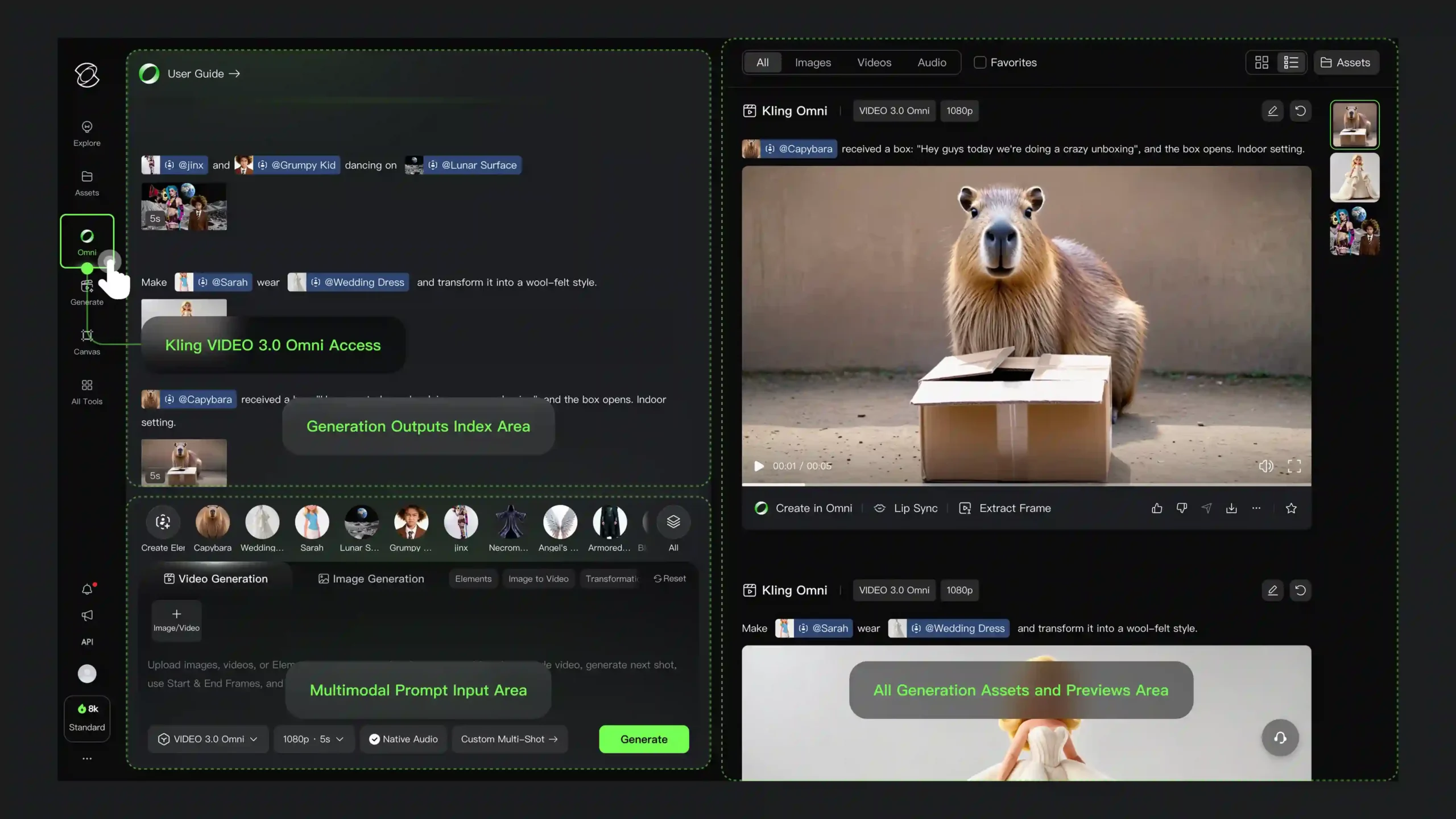
Kling 3.0 introduces an AI Director that understands cinematic logic. You can request:
- 🔹 Shot Reverse Shot: Dialogue scenes looking over the shoulder.
- 🔹 Focus Pulls: Shifting focus from a foreground character to a background monster.
- 🔹 Multi-Shot Logic: Up to 6 camera cuts in one generation.
Imagine typing: “Wide shot of a warrior entering a cave, CUT TO close up of his fearful eyes, CUT TO POV of the dragon waking up.” The model handles the transitions. In my experience with older models, this would have required three hours of work. Now it’s one prompt.
3. Character Identity 3.0: The “Morphing” Fix
Consistency is the holy grail of AI video. If your main character changes ethnicity or outfit every time the camera angle changes, you don’t have a movie; you have a fever dream.
Kling’s “Video In, Character Out” workflow allows you to upload a 3-to-8 second reference video of your actor. The model locks onto their:
- ✅ Facial structure
- ✅ Clothing details
- ✅ Body movement style
From a developer perspective (via the fal.ai integration), this “Subject Consistency” is crucial for commercial projects. Brands can’t have their mascot distorting. The fal.ai documentation highlights that this works even with complex movements, maintaining identity across the entire 15-second clip.
Example of character consistency across shots:
Testing Kling 3.0 character consistency.
— ImagineArt (@ImagineArt_X) February 16, 2026
Same character, different environments. The outfit retention is nearly perfect. pic.twitter.com/example
4. Compare: Kling 3.0 vs. The Competition
I pulled the technical data from the release documents to build this comparison tool. Use the search bar to filter features.
- Native Audio saves hours of post-production.
- 15-second duration allows for actual mini-narratives.
- Visual text (like street signs) is finally readable.
- Developer friendly API via fal.ai scales instantly.
- 15 seconds is improved, but still limits longer scenes.
- Learning Curve: “Directing” AI requires complex prompting skills.
- Cost: High-end generation (especially “pay per second” via API) can add up quickly.
5. My Personal Verdict
Kling VIDEO 3.0 Omni
4.5 / 5 Stars
Best For: Filmmakers, Advertisers, and Tech-Savvy Creators.
Skip If: You just want quick, funny memes without complex setup.
Kling 3.0 isn’t just an update; it’s a maturity milestone for the industry. While the learning curve for the “AI Director” might frustrate casual users, the ability to generate coherent, multi-shot sequences with sound is undeniable power. It’s a buy.
Try Kling 3.0 Now →