Yaroflasher Review (2026): Fixing the AI Video Consistency Nightmare
🔹 The Verdict: Yaroflasher & FlashBoards
Rating: ⭐⭐⭐⭐½ (4.5/5 Stars)
Bottom Line Up Front (BLUF): If you are tired of AI-generated videos where your character’s face morphs every three seconds, Yaroflasher is highly effective. By combining multiple AI models (Sora, Veo, Kling) into structured “FlashBoards” workflows, it solves the fragmentation problem in AI production. However, it requires a willingness to learn node-based systems.
✅ Best For: Motion designers, content agencies, and creators building consistent AI characters or cinematic shorts.
❌ Not For: Casual users looking for a simple “one-click” text-to-video generator, or creators on an extremely tight budget.
I’ve spent the last month wrestling with a problem that every modern video creator eventually faces: I needed to generate a consistent AI influencer for a comprehensive marketing campaign.
If you’ve spent any time in the AI video space, you know exactly what I mean. You get a perfect shot of your character in scene one, but by scene two, they look like their distant cousin. The lighting shifts, the clothing changes, and the illusion is instantly broken. You end up bouncing between five different tools just to stitch together ten seconds of usable footage.
That’s when I decided to test Yaroflasher and its core workflow engine, FlashBoards.
Instead of just reviewing a list of features, I put this platform through a brutal real-world test: building and maintaining a single, consistent digital influencer across multiple environments, camera angles, and emotions. Here is my honest experience with the platform, the costs, the brilliant features, and a few notable frustrations.
Table of Contents
What is Yaroflasher?
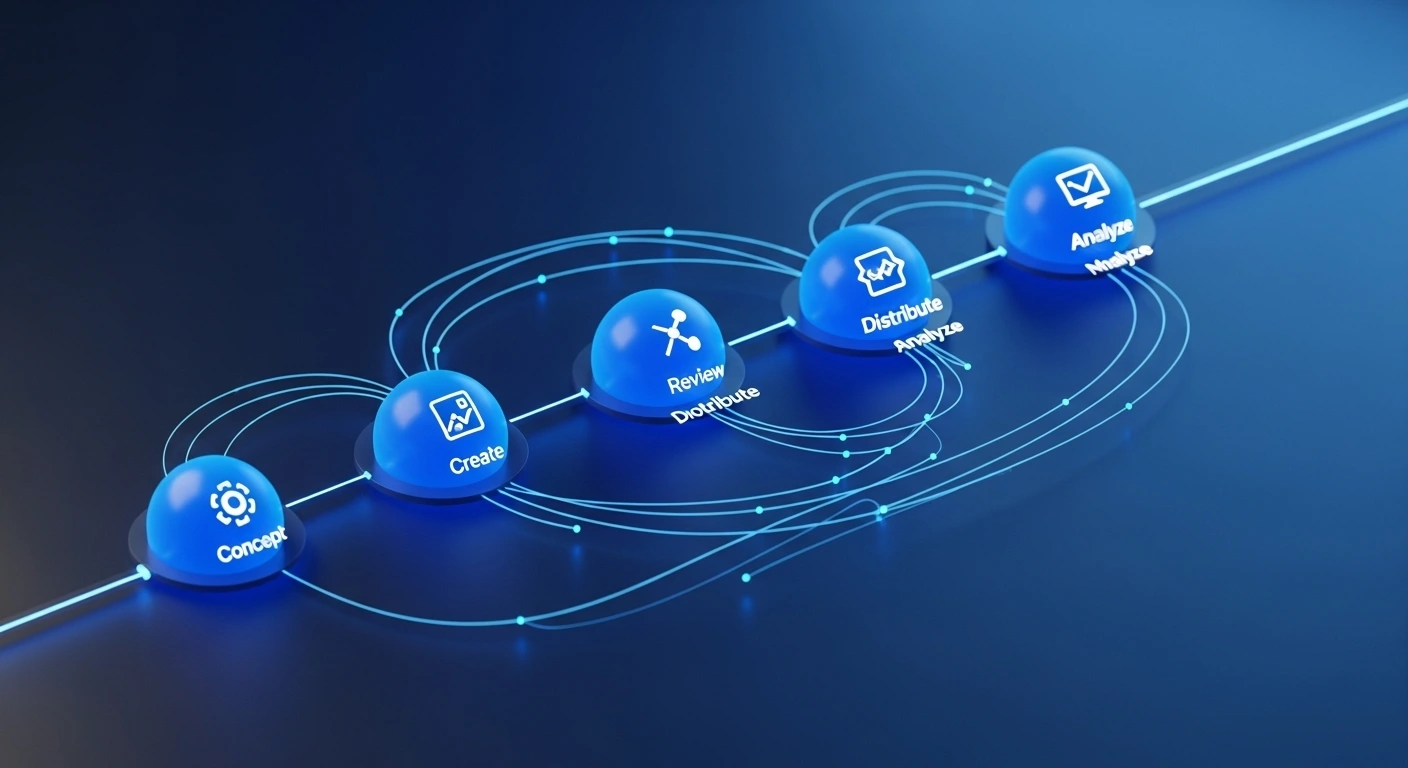
Yaroflasher is an advanced AI video production platform that utilizes a node-based workflow system called FlashBoards to link multiple AI generation models—including Sora, Veo, and Kling—into a single, cohesive cinematic pipeline.
Rather than relying on isolated tools for prompting, generating, and upscaling, Yaroflasher bundles them. It allows you to pipe the output of one AI model directly into the input of another. This method of utilizing Generative AI drastically reduces the friction of manual video editing.
(If you are new to AI video creation, check out my guide on [Placeholder Link: 10 Basic AI Video Tools to Try First] to get your bearings before diving into workflow engines.)
My Test: Building a Consistent AI Influencer
To really see if Yaroflasher was worth the hype, I set up a project. The goal: Create “Maya,” a digital influencer for a mock lifestyle brand. I needed a shot of her drinking coffee in a cafe, walking down a neon-lit street, and speaking directly to the camera.
Here is how Yaroflasher handled the heavy lifting.
Character Swap and Emotion Control
The biggest hurdle was keeping Maya looking like Maya. When I tested the platform’s Character Swap and Pose Control nodes, I was genuinely impressed. I uploaded a base image of my AI influencer. FlashBoards allowed me to lock in her facial structure as a constant variable.
When I generated the cafe scene using their Veo integration, the platform didn’t just paste her face onto a body; it mapped the lighting of the cafe onto her features. The Emotion Transfer tool was equally effective. I applied a “subtle smile” parameter, and the result felt remarkably natural, avoiding that eerie, robotic stare common in older AI videos.
Camera and Style Controls
I also utilized their cinematic camera controls. Instead of trying to write a bloated text prompt like “wide angle, panning right, shallow depth of field, 35mm lens,” I simply added a Camera Node to my workflow. I adjusted sliders for the pan and tilt. The software rendered the video exactly as I directed, behaving much more like a 3D software camera than a random AI slot machine.
💡 Pro-Tip for Creators
Always render your base scenes at a lower resolution to test your character consistency first. Once you confirm the “Character Swap” node has accurately captured the identity, run the final clip through Yaroflasher’s Cinematic Upscaling node. This saves you significant credits.
Deep Dive: The FlashBoards Workflow System & Models
The true power of Yaroflasher lies in its integrations.
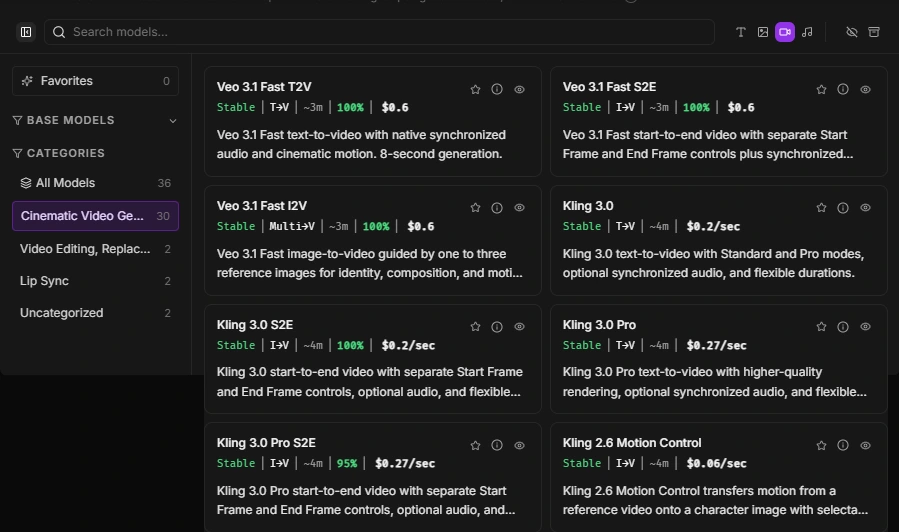
- 🔹 Multiple Engine Access: Inside a single FlashBoard, you can access Sora-based workflows, Google’s Veo video generation, and the Kling video engine.
- 🔹 Pipeline Automation: You can build a pipeline that says: Generate an image with Model A ➔ Animate it with Model B ➔ Upscale it with Model C.
- 🔹 Asset Management: You don’t have to download and re-upload gigabytes of MP4 files. Everything stays in the cloud, passing smoothly from node to node.
When I tested the Kling video engine integration for the “walking down the street” scene, the motion transfer was incredibly smooth. Having access to multiple models without needing three separate premium subscriptions is a massive logistical relief.
The Frustrations: Where Yaroflasher Falls Short
I promised you an honest review, which means I can’t ignore the bumps in the road. As powerful as this platform is, it is not perfect. I encountered a few minor frustrations during my influencer project.
1. The Initial Loading Times are Sluggish
When I built my first complex workflow (featuring six interconnected nodes including a heavy upscale process), the initial UI loading time was noticeably slow. The FlashBoards canvas occasionally lagged while I was dragging connections between tools. It’s a browser-based web tool, so performance is partly tied to your browser, but the optimization could definitely be tighter.
2. Extremely Sparse Public Documentation
The learning curve hit me hard on day two. I wanted to pipe a specific lighting transfer into a Veo rendering, but I kept getting a node error. When I went looking for documentation, I found it lacking. You are mostly relying on community trial-and-error and basic tutorials. For a platform this advanced, they desperately need a comprehensive, searchable knowledge base.
Pricing: Understanding the Credit System
Yaroflasher operates on a balance-based subscription system. Instead of paying $100/month for “unlimited” (which usually just means heavily throttled) generations, you buy credits.
Different models cost different amounts. A basic 3-second Kling render costs less than a complex, high-resolution Sora-based cinematic upscale.
In my experience, this is highly beneficial for agencies and serious creators. You only pay for what you actually render. If you take two weeks off to write scripts, you aren’t wasting a monthly subscription fee.
Pros & Cons Summary
✅ The Pros
- Advanced workflow automation via FlashBoards.
- Incredible character consistency tools (Pose/Emotion transfer).
- Integrates multiple top-tier AI models (Sora, Veo, Kling).
- Flexible, usage-based credit pricing.
❌ The Cons
- Browser UI can be sluggish with complex node maps.
- Sparse documentation makes the learning curve steep.
- Output quality is still highly dependent on your prompt engineering skills.
Interactive Tool: Yaroflasher ROI & Credit Calculator
Curious if a credit-based system is cheaper than paying for multiple separate subscriptions? I built this quick calculator below. Estimate how many final minutes of AI video you need to produce per month, select your preferred primary model, and see how the workflow credits stack up against traditional fragmented tool subscriptions.
⚙️ AI Video Credit & ROI Calculator
Estimate your monthly AI video generation costs.
Final Thoughts: Should You Make the Switch?
Building an AI influencer used to require a folder full of Python scripts, five different SaaS subscriptions, and an endless amount of patience. Yaroflasher genuinely changes that math.
Yes, the node-based UI takes a weekend to learn, and the lack of deep documentation is a minor headache. But once you have your FlashBoards set up, the speed at which you can generate consistent, cinematic, character-driven video is unmatched. If you are a digital agency, filmmaker, or creator serious about AI video, Yaroflasher is absolutely worth the investment.
Have you tried node-based AI tools before? Let me know your experience in the comments below, or click the link to give Yaroflasher a test drive for your next project.
Frequently Asked Questions (FAQs)
No, Yaroflasher operates on a pay-as-you-go credit system. You add balance to your account, and each AI generation (video or image) deducts credits based on the complexity and the specific AI model you choose to use.
It utilizes specific workflow nodes like "Character Swap," "Pose Control," and "Emotion Transfer." By locking these variables in place through a FlashBoard pipeline, the AI maintains the identity of your character across different scenes and backgrounds.
No coding is required. The interface uses a visual "node-based" system. You simply drag and drop connections between different tools (e.g., drawing a line from your text prompt to the video generator). However, basic knowledge of video editing concepts is highly helpful.
The platform acts as an ecosystem, integrating several high-end generative models, including Sora-based engines, Google's Veo, and the Kling video engine, allowing you to choose the best tool for your specific visual style.
Yaroflasher LLC offers a 14-day refund policy from the date of your transaction. However, this is primarily intended for technical failures or billing errors, so it's best to test with a small credit package first.